
IPTV Catch Up TV: How to Watch Missed Shows Easily
Updated November 2026 · 6 min read
Missed the first half of a match, or fell asleep during your favorite series? IPTV catch up TV lets you go back and watch a program after it has aired, without recording anything in advance. It is one of the most useful features of modern TV streaming.
In this guide we explain how catch-up works, what you need to use it, where it has limits, and how to set it up on common devices. You will also learn how it differs from recording, so you can choose the right tool for each show.
What Is IPTV Catch Up TV?
Catch-up TV is a feature that stores recent broadcasts on the provider side for a limited time. When you open a channel, you can scroll back in the program guide and play a show that has already finished. You do not have to set a timer or reserve disk space on your device.
The feature is also called replay, time-shift or archive, depending on the app. With IPTV catch up, the program is played from the server, so it works on any device that supports the feature, not only on the one that recorded it.
How Catch-Up Works With the Program Guide
Catch-up depends on the electronic program guide, usually called the EPG. The guide shows what is on each channel, and the player links a finished program to its stored copy. When you select a past program, the stream starts from the beginning.
This is why a good, accurate EPG matters. If the guide is out of date, programs can start at the wrong time or fail to play. Players with a clean guide, such as the ones in our best IPTV player guide, make catch-up much easier to use.
What You Need to Use Catch-Up
To use IPTV with catch up, you need three things to work together:
- A service and channels that offer an archive for the program you want.
- A player app that supports catch-up and the EPG.
- A stable internet connection, because the replay is streamed in real time.
Not every channel has an archive, and the number of days stored can differ from one channel to another. Always check that the channels you care about support replay before you rely on it.
How to Set Up Catch-Up on Your Device
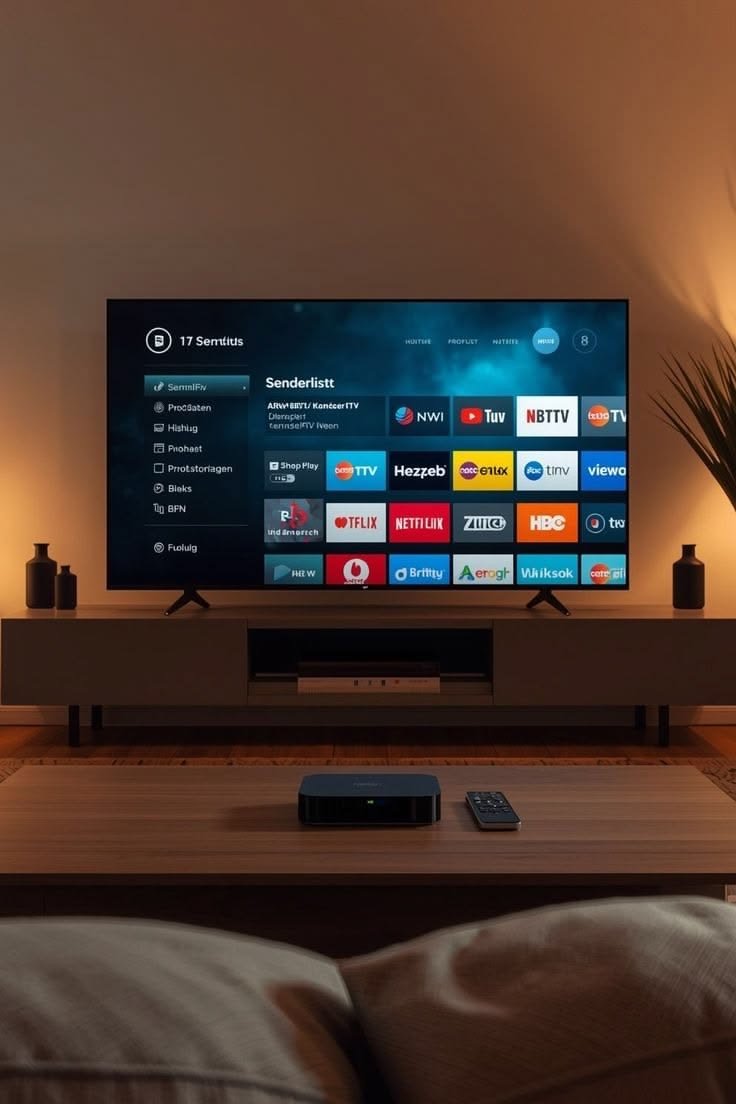
The steps are similar on most devices. Open your player app, load your playlist or sign in, and wait for the guide to download. Then open the guide and move back in time on a channel that supports replay.
Fire TV Stick and Android TV
Use a player with catch-up support and open the guide with the remote. Our guides on IPTV on Firestick and TiViMate show the setup.
Smart TV and phone
Install a supported app, sign in, and select the past program from the guide. Make sure the app and the device software are up to date.
Catch-Up vs Recording: Which Should You Use?
Catch-up and recording both let you watch later, but they work differently. Catch-up is automatic and needs no planning, yet the archive is limited in time. A recording is kept for as long as you want, but you must set it up before the show starts.
Use catch-up for shows you decide to watch after the fact, and use recording for programs you want to keep, such as a final or a documentary. Many players offer both features, so you can combine them.
Limits of IPTV Catch Up TV
Catch-up is helpful, but it has limits that are good to know.
- The archive is kept for a limited number of days.
- Some channels, events or rights-restricted programs have no replay.
- Playback quality depends on your connection and device.
- A wrong guide can place a program at the wrong time.
If a program does not play, try another day, restart the app, or check that the guide data has refreshed.
Who Benefits Most From Catch-Up?
Catch-up is especially useful for busy households. Shift workers can watch the evening news or a drama the next morning. Families with children can replay a program when everyone is finally in the same room. Sports fans can start a match from the beginning after missing the kickoff.
It also helps people who share one TV. Instead of arguing over the remote, each person can watch their own program later, at a time that suits them. For anyone who travels, the same feature on a phone or tablet makes it easy to keep up with a series while away from home.
Questions to Ask Before You Subscribe
Before you pay for any service because of its replay feature, ask a few direct questions:
- How many days of archive do the channels I watch offer?
- Does the program guide update automatically every day?
- Which apps and devices does catch-up work with?
- Can I test replay on my own device with a free trial?
Clear answers to these questions show that a provider understands the feature. Vague answers are a good reason to keep looking.
Tips for a Better Catch-Up Experience
A few simple habits make replay more reliable. Update the guide regularly, keep the device software current and use a wired connection when you can. If a replay buffers, lower the quality by one level and try again. Our guide to IPTV buffering explains the fixes in detail.
Finally, set favorites for the channels you replay most often, so you can jump to them quickly instead of searching the whole list.

IPTV Plans and Pricing
Our plans offer the same service on every length, and you can ask for a free trial to test replay on your own device before you subscribe.
- Live TV, sports and VOD
- HD and 4K where available
- WhatsApp support
- Live TV, sports and VOD
- HD and 4K where available
- WhatsApp support
- Live TV, sports and VOD
- HD and 4K where available
- WhatsApp support
What Every Plan Includes
- 45,000+ Live TV Channels
- 170,000+ Movies & Series On-Demand
- Premium Channels & Pay-Per-View (PPV) where legally available
- Catch-Up TV & Electronic Program Guide (EPG)
- 4K / Ultra HD Streaming Quality
- 99.9% Server Uptime for Reliable Viewing
- Anti-Freeze Technology for Smooth Playback
- Compatible with All Devices (Smart TVs, Android, iOS, Windows, etc.)
- 24/7 Technical Support
- Catch-Up / EPG for All European Channels
The package figures above are marketing package specifications and may vary from the broader service catalog depending on the plan, content availability, and technical conditions.
The 1-month plan costs $15.99. The 3-month plan costs $29.99 (about $10.00 per month), the 6-month plan costs $39.99 (about $6.67 per month), and the 12-month plan costs $59.99 (about $5.00 per month). You can start with a free trial before you choose.
Frequently Asked Questions About Iptv catch up tv
How far back can I go with IPTV catch up TV?
It depends on the channel and the archive. Many channels keep a few days, but the number differs, so check before you rely on a specific one.
Does every channel support catch-up?
No. Some channels, live events and rights-restricted programs do not have a replay archive.
Do I need to record a show to use catch-up?
No. Catch-up is stored on the provider side, so you can play a finished program without setting a recording.
Why does a catch-up program not play?
Common reasons are an outdated guide, a channel without an archive or a weak connection. Refresh the guide and restart the app.
Which devices work with IPTV catch up?
Most Fire TV, Android TV, Apple TV and Smart TV players work, as long as the app supports replay and the guide.
Final Thoughts on IPTV Catch Up TV
Catch-up gives you the freedom to watch on your own schedule, with no timers and no planning. Choose a player with a good guide, check the channels that offer replay, and keep recording for the shows you want to keep.
To see how catch-up feels on your own device, message us on WhatsApp and ask for a free trial.
Message us for a free trial and see it on your own screen.
💬 Start on WhatsAppImportant: IPTV players are applications used to play content. IPTV technology is legal, but the legality of specific channels and content depends on licensing and local laws. Channel availability, streaming quality, and app features may vary by device, location, subscription, and internet connection. Customers should only access content they are legally entitled to view.
Quick Recap: Iptv Catch Up Tv
Whenever you compare options, keep iptv catch up tv at the center of your checklist. A clear understanding of iptv catch up tv saves you money and frustration. Many viewers ask us about iptv catch up tv before they subscribe. Our support team can walk you through iptv catch up tv step by step. If iptv catch up tv matters to you, test the service on a real device first. Good advice on iptv catch up tv always starts with your internet speed and your device. Remember that iptv catch up tv looks different for every household. That is why we explain iptv catch up tv in plain language.
Before you decide, read this guide on iptv catch up tv once more. Ask yourself how iptv catch up tv fits your daily viewing habits. With the right setup, iptv catch up tv becomes simple for everyone. Our team keeps this iptv catch up tv guide updated as things change. For most US households, iptv catch up tv is the first question to answer. Take a moment to review iptv catch up tv again before you pay. Whenever you compare options, keep iptv catch up tv at the center of your checklist.