
British IPTV: What to Know Before You Watch UK Channels
Updated November 2026 · 6 min read
Many viewers search for British IPTV because they want UK channels at home, whether they live in the United Kingdom, in the USA or anywhere else. The idea is simple: instead of an aerial or a satellite dish, you watch British television through an app over your internet connection.
In this guide we explain how British IPTV works, what equipment you need, what to check about content and rights, how to watch while you travel, and how to test a service before you pay. Everything is written in plain language, so you can decide with confidence.
What Is British IPTV?
British IPTV is television from the United Kingdom delivered over the internet. It usually includes live channels such as news, entertainment, documentaries, children programs and sport, together with a library of films and series on demand. You watch through a player app on a Smart TV, Fire TV Stick, Android box, phone or computer.
The main attraction is flexibility. A single subscription can work on several devices, and there is no dish to install and no box to rent. If you are new to the idea, our guide on what IPTV is explains the technology step by step.
Who Uses British IPTV and Why?
The audience is wider than most people expect. Families who moved abroad use it to keep in touch with the programs they grew up with. Students and workers away from home use it to follow the news and the football season. Travelers use it in hotels and on holiday, and many viewers simply like the style of British comedy, drama and documentaries.
Because the service runs on the internet, the place where you live matters less than the quality of your connection. That is the reason the topic is popular far beyond the United Kingdom.
What You Need to Start Watching
You need only three things: a device, an internet connection and a player app.
- A modern device such as a Fire TV Stick, Android TV box, Apple TV, Smart TV, phone or tablet.
- A stable connection of about 10 Mbps for an HD stream, and about 25 Mbps for Ultra HD.
- A player app that can load channels and show a program guide.
Our best IPTV player guide compares good apps, and our article on IPTV on Firestick shows an easy setup for one of the most popular devices.
Channels, Sport and On-Demand Content
The channel list is the first thing to check. Ask which UK channels you want to see, and ask whether the list is updated regularly. For sport, find out which competitions you watch and whether the live channels for them are included. A good provider is clear about this and does not promise things it cannot deliver.
Remember that content availability can change over time because of broadcast rights. For that reason, it is wise to start with a trial and to test the exact channels that matter to you before you commit to a longer plan.
The Program Guide and Catch-Up
A clear program guide makes British IPTV feel like normal television. You can see what is on now, what comes next and, on supported channels, go back to a program you missed. Our guide to IPTV catch up TV explains how the feature works and what its limits are.
If the guide is wrong or empty, programs can appear at the wrong time. Test the guide during your trial in the same way you test the picture.
Watching British IPTV While Traveling
One of the best parts of internet television is that it follows you. With the same account, you can often watch on a phone or tablet in another country, as long as the connection is good. Hotel Wi-Fi can be slow or shared, so a personal hotspot or a travel router may give a steadier picture.
Keep in mind that rules for content can differ from country to country, so always follow the laws and the terms that apply where you are.
Picture Quality and Speed Tips
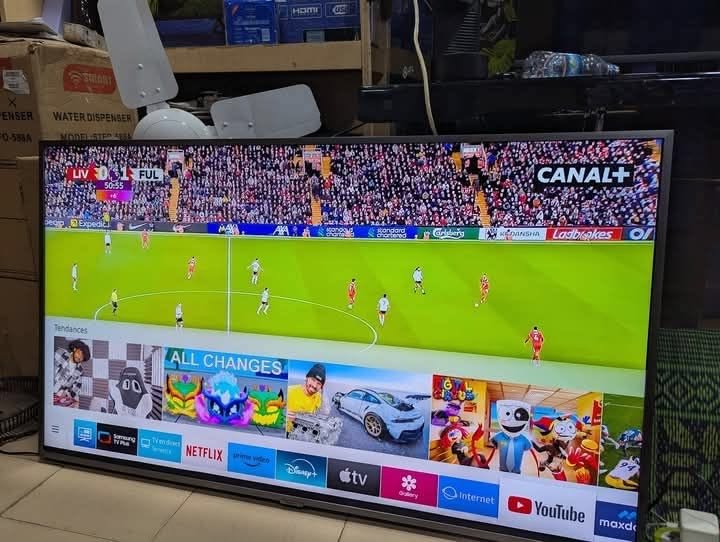
Most problems come from the home network rather than from the channels. Use an Ethernet cable when you can, keep the router near the TV, and choose the 5 GHz band for Wi-Fi. If the picture freezes during a match, read our guide to IPTV buffering, which lists simple fixes.
For Ultra HD, you also need a TV and a device that support it. Our article on 4K IPTV in the USA covers the speed and device details.
How to Test a British IPTV Service Before You Pay
The safest approach is to try before you buy. Follow these steps:
- Ask for a free trial and install it on your main device.
- Check the UK channels you actually watch, at different times of the day.
- Test a live sport channel in the evening, when the network is busiest.
- Look at the program guide and try catch-up on a finished program.
- Contact support with one question and see how quickly they answer.
If the trial works well on your own network, you can move to a plan with confidence.
Staying Legal and Safe
Choose a provider with a clear name, clear prices and real support, and avoid anything that asks for unusual payment methods or hides who runs it. Follow the content rules of your country and the terms of the service, and never share your login with strangers. A trustworthy service is open about what it offers and what it does not.
IPTV Plans and Pricing
Our plans offer the same service on every length. You can start with a free trial and choose a longer plan later to lower the monthly cost.
- Live TV, sports and VOD
- HD and 4K where available
- WhatsApp support
- Live TV, sports and VOD
- HD and 4K where available
- WhatsApp support
- Live TV, sports and VOD
- HD and 4K where available
- WhatsApp support
What Every Plan Includes
- 45,000+ Live TV Channels
- 170,000+ Movies & Series On-Demand
- Premium Channels & Pay-Per-View (PPV) where legally available
- Catch-Up TV & Electronic Program Guide (EPG)
- 4K / Ultra HD Streaming Quality
- 99.9% Server Uptime for Reliable Viewing
- Anti-Freeze Technology for Smooth Playback
- Compatible with All Devices (Smart TVs, Android, iOS, Windows, etc.)
- 24/7 Technical Support
- Catch-Up / EPG for All European Channels
The package figures above are marketing package specifications and may vary from the broader service catalog depending on the plan, content availability, and technical conditions.
The 1-month plan costs $15.99. The 3-month plan costs $29.99 (about $10.00 per month), the 6-month plan costs $39.99 (about $6.67 per month), and the 12-month plan costs $59.99 (about $5.00 per month). You can start with a free trial before you choose.
Frequently Asked Questions About British iptv
What is British IPTV?
It is television from the United Kingdom delivered over the internet, so you can watch live channels and on-demand content in an app on your own devices.
Do I need special equipment for British IPTV?
No. A Smart TV, Fire TV Stick, Android box, Apple TV, phone or tablet works, together with a stable internet connection.
Can I watch British IPTV outside the UK?
Often yes, because the service runs on the internet. Always follow the content rules and the terms that apply in the country where you are.
How much internet speed do I need?
About 10 Mbps for HD and about 25 Mbps for Ultra HD per stream, plus room for other devices at home.
Can I try it before I pay?
Yes. Ask for a free trial, and test the channels and the guide on your own device before you choose a plan.
Final Thoughts on British IPTV
British IPTV gives you flexible access to UK television on the devices you already own. Check the channel list, test the picture at busy hours and choose a provider that is honest about what it offers.
If you want to see how it works on your own TV, message us on WhatsApp and ask for a free trial.
Message us for a free trial and see it on your own screen.
💬 Start on WhatsAppImportant: IPTV players are applications used to play content. IPTV technology is legal, but the legality of specific channels and content depends on licensing and local laws. Channel availability, streaming quality, and app features may vary by device, location, subscription, and internet connection. Customers should only access content they are legally entitled to view.