4K Live IPTV: How to Stream Live TV in Ultra HD Without Buffering
Updated October 2026 · 11 min read
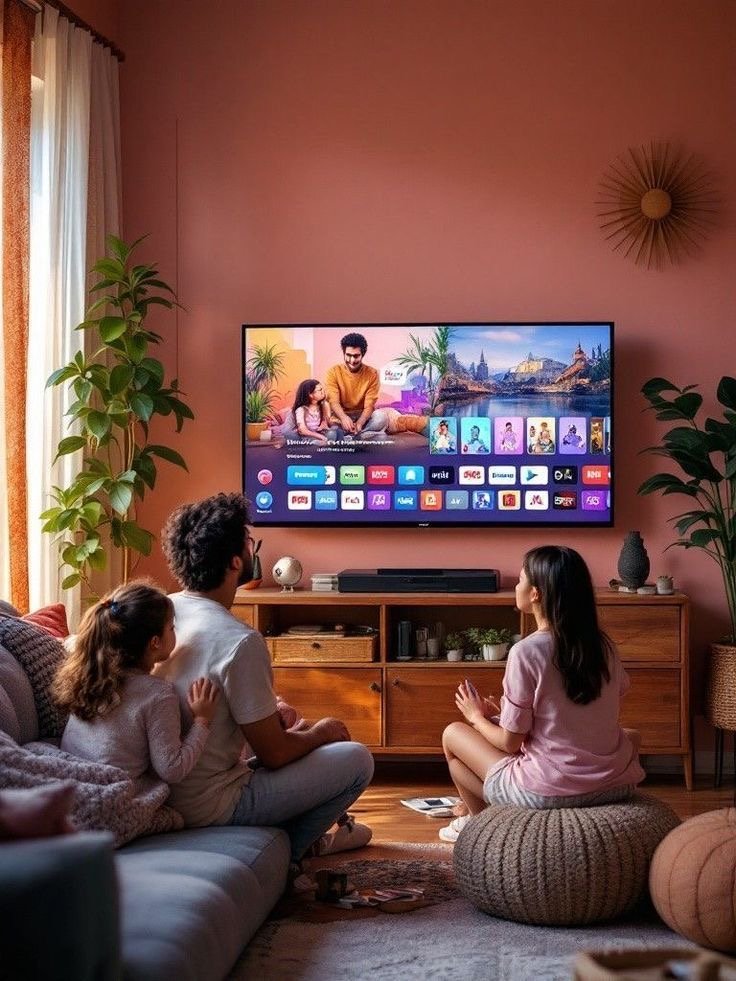
If you want the sharpest picture your television can show, 4K live IPTV is the way to get there. Instead of watching compressed standard-definition channels through an old cable box, you can stream live television, sports, and movies in Ultra HD through an internet connection, on a Smart TV, Firestick, Android box, or other compatible device.
But 4K live IPTV is not as simple as pressing a button. The quality you actually see depends on your TV, your device, your internet connection, the app you use, and the source of each channel. When one of these is weak, the picture suffers, and viewers blame the service when the real problem is somewhere else in the chain.
In this guide, we explain exactly what 4K live IPTV is, what you need to enjoy it, which devices and apps work best, and how to avoid the most common problems. We also introduce our IPTV service, which offers more than 46,000 live TV channels and 180,000 movies and series, subject to availability and content rights, with 4K / Ultra HD streaming where supported.
Message us for a free trial and see it on your own screen.
💬 Start on WhatsAppWhat Is 4K Live IPTV?
IPTV stands for Internet Protocol Television. It delivers live channels and on-demand content over the internet to a compatible device and application. When the content, your device, and your connection all support it, the picture can be delivered in 4K, also called Ultra HD.
A 4K picture has roughly four times as many pixels as Full HD. On a large television, that means finer detail, cleaner text, smoother gradients, and a more lifelike image. Many 4K programs also support HDR, which improves contrast and color.
4K live IPTV simply means watching live television in that higher resolution. It is especially popular for sports, nature programming, and big-screen movies.
Why Viewers Are Switching to 4K Live IPTV
Television screens have improved faster than the way most people watch. A 4K television is now common in many homes, yet a lot of viewers still watch lower-quality channels on it.
4K live IPTV closes that gap. It lets you use the screen you already own, on the devices you already have, without installing a satellite dish or renting extra equipment. You can also watch on different devices throughout the house, from the living room Smart TV to a laptop or tablet.
The combination of picture quality, flexibility, and a large channel library is why more viewers are exploring 4K live IPTV every year.
What You Need for 4K Live IPTV
To enjoy 4K live IPTV, you need four things working together.
A 4K Television or Display
Your TV or monitor must support 4K resolution. Check the specifications of your screen. If you want HDR, it must support that as well.
A Device That Supports 4K
Not every streaming device outputs 4K. Look for a Fire TV Stick 4K, a 4K-capable Android box, an Apple TV 4K, or a Smart TV with a built-in 4K app. For the best picture, use a high-speed HDMI cable and a TV input that supports 4K.
A Fast, Stable Internet Connection
4K video needs much more bandwidth than HD. A fast connection is important, but a stable connection is even more important, because a high speed that drops out will still cause buffering.
A Compatible IPTV App
Your player should handle high-resolution streams smoothly and support modern video formats. We list popular compatible apps later in this guide.
How Much Internet Speed Does 4K Live IPTV Need?
A commonly recommended minimum is around 25 Mbps for a single 4K stream, and more if other people in your home are using the same connection at the same time. Video calls, game downloads, and other streams all share the same bandwidth.
HD streams usually need much less, so if you mainly watch HD channels, a slower plan may be enough. But if you want reliable 4K live IPTV in a busy household, aim for a comfortable margin above the minimum.
You can test your speed with any online speed test on the same device and in the same room where you watch. The result shows what that device can actually receive, which is more useful than the speed you pay for.
Is Every Channel Really 4K?
This is an important point, and an honest answer builds trust. A service can only deliver 4K when the source content is available in 4K. Many live channels broadcast in HD, and only some programs and events are produced in Ultra HD.
That means a 4K live IPTV service does not turn every channel into 4K. What it does is support 4K / Ultra HD streaming for the channels and titles that are available in that quality, while delivering everything else in HD or Full HD.
Availability also varies by region, channel, and event. If a particular 4K channel or event matters to you, ask our team before you subscribe, and we will tell you what is currently available.
Devices That Work With 4K Live IPTV
Our service is designed to work on a wide range of devices. Remember that 4K playback also depends on the model you own.
Smart TVs: Samsung, LG, Sony, Philips and Toshiba
Many modern Smart TVs support 4K and can run compatible IPTV players. The apps available depend on the brand, the model, and the software version, so our team can help you choose.
Firestick and Android Box
These are two of the most popular choices for 4K live IPTV. They offer a wide choice of apps and are easy to connect to almost any television. Make sure you use a 4K-capable model.
Apple TV
Apple TV 4K is a strong option for viewers who want a smooth interface and high-quality output. You install a compatible IPTV application from the App Store.
MAG Box and Formuler Box
MAG and Formuler boxes are designed for IPTV. You configure the service directly on the device, and supported models can play high-resolution streams.
Windows, Laptop and Tablet
Computers, laptops, and tablets can also play 4K content with a compatible app, although the picture you see depends on the resolution of the screen.
Best Apps for 4K Live IPTV
IPTV players are the apps that load your channels and library. Our service works with the most popular players, depending on your device and operating system:
- IPTV Smarters Pro
- IBO Player
- IBO Player Pro
- TiviMate
- Bob Player
- Duplex Play
- SET IPTV
- NET IPTV
- VU Player Pro
- Smart IPTV
- Hot Player
- And other compatible IPTV applications
Features and availability change from device to device. If you are not sure which player is best for 4K live IPTV on your setup, ask our support team and we will recommend a compatible option.
Our 4K Live IPTV Service: What You Get
We built our service for viewers who care about picture quality, but also about reliability and support.
With our subscription, you can enjoy:
- 46,000+ live TV channels, subject to availability and content rights
- 180,000+ movies and series on demand
- 4K / Ultra HD streaming where the source content, device, and connection support it
- HD and Full HD for everything else
- Catch-Up TV and an Electronic Program Guide (EPG)
- Anti-freeze technology for smoother playback
- Target 99.9% server uptime
- Strong protection for a stable service environment
- Automatic updates every day
- Fast technical support, 24/7
- A 30-day money-back guarantee, subject to the applicable terms

4K Live IPTV Packages and Pricing
Pick the subscription length that fits the way you watch. Every plan includes the same core service, and longer plans cost less per month.
- Live TV, sports and VOD
- HD and 4K where available
- WhatsApp support
- Live TV, sports and VOD
- HD and 4K where available
- WhatsApp support
- Live TV, sports and VOD
- HD and 4K where available
- WhatsApp support
What Every 4K Live IPTV Plan Includes
- 45,000+ Live TV Channels
- 170,000+ Movies & Series On-Demand
- Premium Channels & Pay-Per-View (PPV) where legally available
- Catch-Up TV & Electronic Program Guide (EPG)
- 4K / Ultra HD Streaming Quality
- 99.9% Server Uptime for Reliable Viewing
- Anti-Freeze Technology for Smooth Playback
- Compatible with All Devices (Smart TVs, Android, iOS, Windows, etc.)
- 24/7 Technical Support
- Catch-Up / EPG for All European Channels
The package figures above are marketing package specifications and may vary from the broader service catalog depending on the plan, content availability, and technical conditions.
The 1-month plan costs $15.99. The 3-month plan costs $29.99 (about $10.00 per month), the 6-month plan costs $39.99 (about $6.67 per month), and the 12-month plan costs $59.99 (about $5.00 per month). For regular viewers, the 12-month plan is the best-value way to enjoy 4K live IPTV.
Anti-Freeze Technology and 99.9% Uptime
High-resolution video is demanding, and nothing ruins a live match faster than a frozen screen. Our platform uses anti-freeze technology designed to reduce interruptions, and we target 99.9% server uptime for reliable viewing.
No internet-based service can promise perfect playback in every situation. Your connection, Wi-Fi signal, router, device, and the availability of individual streams all matter. That is why the tips later in this guide are as important as the service itself.
Catch-Up TV and EPG
An Electronic Program Guide (EPG) shows what is on now and what is coming next, so you can browse live television quickly. Catch-Up TV lets you watch previously aired programs on supported channels when you miss them live.
Our service includes Catch-Up and EPG support for available European channels. Availability can vary by channel and source.
How to Set Up 4K Live IPTV
Most people are ready to watch in a few minutes.
Step 1: Choose Your Plan
Select a 1-month, 3-month, 6-month, or 1-year subscription and message our team with your device.
Step 2: Receive Your Details
After activation, we send your subscription information and setup instructions.
Step 3: Install a Compatible App
Install a supported IPTV player such as IPTV Smarters Pro, TiviMate, IBO Player Pro, or Smart IPTV on your 4K-capable device.
Step 4: Enter Your Login Information
Open the app and enter the details we supplied, exactly as written.
Step 5: Start Watching
Let the app load your channels, choose a 4K channel or title if one is available, and enjoy. If you need help, our support team is available 24/7.

Tips for the Best 4K Live IPTV Picture and Performance
Small changes can make a big difference to your 4K live IPTV experience:
- Use an Ethernet cable whenever possible, because a wired connection is usually more stable than Wi-Fi.
- If you must use Wi-Fi, use the 5 GHz band and place the router close to your device.
- Use a high-speed HDMI cable and connect to an HDMI input that supports 4K.
- Keep your IPTV app and your device software updated.
- Close other streams and heavy downloads while you watch in 4K.
- Restart your router and streaming device if playback becomes unstable.
- Use your TV's movie or cinema picture mode for the most natural image.
Common 4K Live IPTV Problems and How to Fix Them
Even a great setup can have occasional problems. Most are easy to solve.
Buffering or Freezing
Check your speed, restart your router, and switch to Ethernet if you can. If the problem is only on one channel, the source stream may be temporarily unavailable.
The Picture Is Not 4K
Check that your device is set to output 4K, that your TV input supports 4K, and that the channel or title you are watching is actually available in 4K.
No Sound or Distorted Picture
Try a different HDMI cable or port, and check the audio and video settings on your device.
The App Will Not Open
Restart the device, update the app, or reinstall it. If the problem continues, try another compatible player.
24/7 Support and a 30-Day Money-Back Guarantee
Setting up a 4K system can feel complicated, so we make sure you are never alone. Our technical support team is available around the clock to help with installation, login details, device settings, and troubleshooting.
We also offer a 30-day money-back guarantee, subject to the applicable terms and conditions. Please review the refund conditions before you purchase so you know exactly what is covered.
Frequently Asked Questions About 4K Live IPTV
What is 4K live IPTV?
4K live IPTV is live television streamed over the internet in 4K / Ultra HD resolution, where the source content, your device, and your connection support it.
How much internet speed do I need for 4K live IPTV?
A commonly recommended minimum is around 25 Mbps for a single 4K stream. You will need more if several devices share the connection.
Are all channels available in 4K?
No. 4K depends on the source content. Many channels are available in HD or Full HD, and only some channels and events are in 4K.
Which devices work best for 4K live IPTV?
A Fire TV Stick 4K, a 4K-capable Android box, an Apple TV 4K, a compatible Smart TV, or a MAG or Formuler box. Your TV must also support 4K.
Which apps can I use?
IPTV Smarters Pro, IBO Player, IBO Player Pro, TiviMate, Bob Player, Duplex Play, SET IPTV, NET IPTV, VU Player Pro, Smart IPTV, Hot Player, and other compatible applications.
Does the service work on Samsung, LG and other Smart TVs?
Yes, on compatible models of Samsung, LG, Sony, Philips, and Toshiba Smart TVs, using supported IPTV applications.
Do you offer technical support?
Yes. Our team provides 24/7 technical support for setup, applications, and troubleshooting.
Do you offer a refund?
Yes. We provide a 30-day money-back guarantee, subject to the applicable terms and conditions.
Final Thoughts: Is 4K Live IPTV Worth It?
If you own a 4K television and want to get the most from it, 4K live IPTV is worth exploring. The key is to match every part of the chain: a 4K screen, a capable device, a stable connection, a compatible app, and a service you can trust.
Our IPTV service offers more than 46,000 live TV channels and over 180,000 movies and series, with 4K / Ultra HD streaming where supported, Catch-Up TV, EPG, anti-freeze technology, daily automatic updates, strong protection, 24/7 technical support, and a 30-day money-back guarantee. It works on Smart TVs, Firestick, Android Box, Apple TV, MAG Box, Formuler Box, computers, and tablets.
Choose your plan today and contact our team, and we will help you set up 4K live IPTV on your device.
Message us for a free trial and see it on your own screen.
💬 Start on WhatsAppImportant: IPTV technology is legal, but the legality of specific channels and content depends on licensing and local laws. 4K availability, channel lists, streaming quality, and features may vary by device, location, subscription, and internet connection. Customers should only access content they are legally entitled to view.