
Telugu IPTV: How to Watch Telugu Channels in the USA
Updated November 2026 · 5 min read
Looking for Telugu IPTV so you can watch your favorite channels from the USA or anywhere else? Streaming over the internet has made it much easier to follow Telugu news, movies, serials and live events without a satellite dish.
This guide explains how Telugu IPTV works, what to look for in a service, which devices you can use and how to avoid common problems. We keep it practical, so you can decide quickly and start watching.
What is Telugu IPTV?
Telugu IPTV means watching Telugu-language television channels through an internet connection using an IPTV service. Instead of a dish or cable box, you use an app on a Fire TV Stick, Android TV box, smart TV, phone or computer. The service sends the channels as streams, and the app shows them in a guide.
If the idea is new to you, our explainer on what is IPTV covers the basics in plain language.
Why people look for Telugu IPTV
Many Telugu speakers live far from home and want a simple way to keep up with news, cinema, music and regional programs. Traditional options can be limited or expensive for viewers abroad. Telugu IPTV offers one subscription on the devices they already own, with live channels and sometimes on-demand movies.
It is also a good way to share familiar content with family members of all ages, including children and grandparents who prefer their own language.
What to look for in a Telugu IPTV service
- Channel list: check that the Telugu channels you want are included
- Picture quality: HD where available and stable playback
- Guide and search: an easy program guide in the app
- Free trial: test before paying
- Support: a real way to ask for help
- Clear terms: who runs the service and what the refund rules are
A service that is honest about what it offers and lets you test it is usually the safer choice.
Devices that work
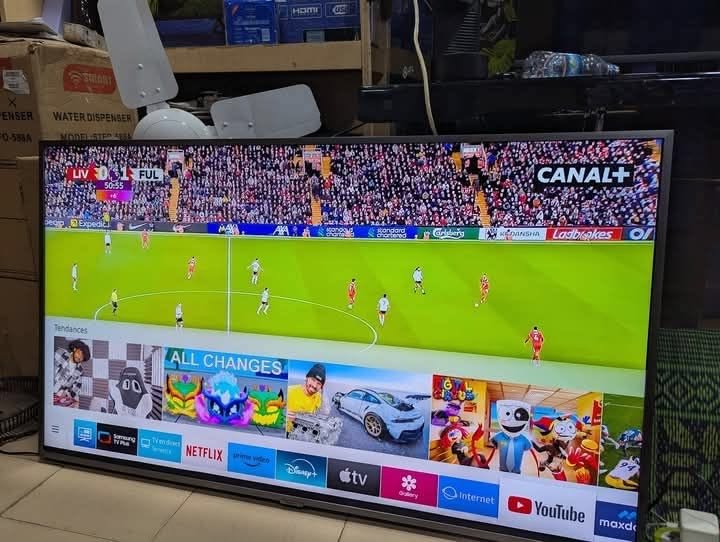
Most people use a Fire TV Stick or an Android TV box because they connect to any TV and run IPTV apps well. Smart TVs, phones, tablets and computers also work with the right app. For TV-style viewing, see our guides to the best IPTV player and IPTV on Fire Stick.
Make sure your device is updated and that you have enough free storage for the app.
Internet speed you need
Stable internet matters more than anything else. Plan for at least 10 Mbps for HD on one screen and about 25 Mbps for 4K. If several people stream at the same time, add more. A wired Ethernet connection is more stable than Wi-Fi. If you must use Wi-Fi, sit close to the router and use the 5 GHz band when possible.
How to set up Telugu IPTV step by step
1. Get your login or playlist from the service you chose.
2. Install a player app on your device from the official store.
3. Open the app and add the playlist or sign in with your details.
4. Wait for the channel list and guide to load.
5. Create a favorites group for your Telugu channels.
6. Test a few channels at different times of day.
If something does not load, restart the app and the router, then check that your details are correct.
Free trial first
A trial lets you see picture quality, channel selection and stability on your own connection. Always test during the hours you usually watch, such as evenings and weekends. Our service offers a free trial: send us a message through the contact page and tell us which channels matter most to you. You can see plans on the pricing page.
- Live TV, sports and VOD
- HD and 4K where available
- WhatsApp support
- Live TV, sports and VOD
- HD and 4K where available
- WhatsApp support
- Live TV, sports and VOD
- HD and 4K where available
- WhatsApp support
What Every Plan Includes
- 45,000+ Live TV Channels
- 170,000+ Movies & Series On-Demand
- Premium Channels & Pay-Per-View (PPV) where legally available
- Catch-Up TV & Electronic Program Guide (EPG)
- 4K / Ultra HD Streaming Quality
- 99.9% Server Uptime for Reliable Viewing
- Anti-Freeze Technology for Smooth Playback
- Compatible with All Devices (Smart TVs, Android, iOS, Windows, etc.)
- 24/7 Technical Support
- Catch-Up / EPG for All European Channels
The package figures above are marketing package specifications and may vary from the broader service catalog depending on the plan, content availability, and technical conditions.
The 1-month plan costs $15.99. The 3-month plan costs $29.99 (about $10.00 per month), the 6-month plan costs $39.99 (about $6.67 per month), and the 12-month plan costs $59.99 (about $5.00 per month). You can start with a free trial before you choose.
Common problems and fixes
Buffering is usually caused by slow internet or Wi-Fi interference. Missing channels may be a playlist issue, so reload the list. A black screen can mean an outdated app or a stream that changed. Update the app first. If problems continue, contact support with your device model and a description of what you see.
Tips for families and shared households
If several people watch at once, plan your bandwidth carefully and set up separate favorites for each person. Many apps support multiple profiles or at least separate groups. Children can have a simple list of kids channels, while adults keep news and movies. A quick restart of the router once a week helps keep the connection stable, and updating the app regularly avoids playback bugs.
For older family members, a simple remote and a short favorites list make the experience much easier, because they do not need to scroll through hundreds of channels to find what they want.
Why a stable service matters more than a long channel list
A huge channel list sounds attractive, but daily comfort comes from stability, clear organization and fast support. Check that the channels you really use are present, correctly labeled and sorted into groups. Ask how often the list is updated and how quickly problems are fixed. A smaller, well maintained list is better than thousands of channels that fail when you press play.

Watching live events and movies
Telugu IPTV is popular for live events such as film launches, festivals, news and sports. For live events, a stable connection matters most, so test your setup before the big day and close other heavy downloads. For movies and serials, check whether the service also offers on-demand content or catch-up, so you do not miss an episode when you are busy.
Stay safe and legal
Use services that are open about who they are and what rights they have. Avoid sellers who ask for payment only through unsafe methods or who cannot answer basic questions. Install apps only from official sources. For the technical background, see the Wikipedia article on IPTV.
Frequently Asked Questions About Telugu iptv
Can I watch Telugu channels in the USA?
Yes, with an IPTV service that includes Telugu channels and a stable internet connection.
What device is best for Telugu IPTV?
A Fire TV Stick or Android TV box is the most popular choice for TV viewing.
Do I need a dish?
No. IPTV works over the internet, so no dish is needed.
How fast must my internet be?
At least 10 Mbps for HD and about 25 Mbps for 4K.
Is there a free trial?
Yes. Ask for a trial through our contact page before you subscribe.
Getting started with Telugu IPTV
Telugu IPTV makes it simple to enjoy familiar channels wherever you live. Pick a service that lists the channels you want, test it with a free trial, use a stable connection and a good player app, and you will be watching in minutes. If you have questions along the way, we are happy to help.
Message us for a free trial and see it on your own screen.
💬 Start on WhatsAppImportant: IPTV players are applications used to play content. IPTV technology is legal, but the legality of specific channels and content depends on licensing and local laws. Channel availability, streaming quality, and app features may vary by device, location, subscription, and internet connection. Customers should only access content they are legally entitled to view.