
Best iOS IPTV App: How to Pick the Right Player for iPhone, iPad and Apple TV
Updated November 2026 · 5 min read
Finding the best iOS IPTV app depends less on brand names and more on how you watch. Do you stream on an iPhone during a commute, on an iPad in bed or on an Apple TV in the living room? Each screen has different needs, and the right app makes your IPTV service feel smooth instead of clumsy.
This guide explains which features matter in an iOS IPTV app, how to set one up with your subscription, how to avoid common problems and how to test before you commit. It also lists the plans from IPTV Stream Plus.
How IPTV Works on iPhone, iPad and Apple TV
An IPTV subscription does not include a built-in app. You use a player app that loads your channel list and TV guide using the login details from your provider. On iOS devices, you install the player from the App Store, enter your details and start watching.
Apple devices handle video well, which means a good player can deliver a sharp picture and quick channel changes. The right app also needs a clear layout, a working TV guide and reliable favorites, because small screens leave little room for clutter.
Seven Features of the Best iOS IPTV App
- Clean interface: easy to navigate with a thumb or a remote.
- TV guide support: a clear EPG with search.
- Favorites and groups: quick access to the channels you watch.
- Picture-in-picture: keep watching while you use another app.
- AirPlay or casting: send the video to a bigger screen.
- Playback controls: pause, rewind and resume on demand titles.
- Regular updates: an app that is maintained and stable.
If an app lacks two or more of these, keep looking.

iPhone vs. iPad vs. Apple TV
iPhone
Great for watching on the move or checking a score. Look for an app that works well in portrait and landscape and uses data wisely on mobile networks.
iPad
Ideal for series and movies in bed or on the sofa. A larger screen makes a good TV guide layout even more useful.
Apple TV
The best choice for the living room. Pick an app made for tvOS so it works smoothly with the Siri Remote.
For other devices, see our guide to the best IPTV player, which covers Firestick, Android and smart TVs.
Tips for Using IPTV on Apple Devices Every Day
Create a favorites list on your first evening so your most-watched channels are always at the top. If your app supports separate groups, build one for sports, one for news and one for family viewing.
Use picture-in-picture when you want to follow a game while answering messages, and use AirPlay or casting when you want the picture on a bigger screen. These two features alone change how comfortable IPTV feels on an iPhone or iPad.
Finally, protect your battery and data. Lower the quality on mobile networks, close the app when you finish and keep your device software updated. A few small habits make a big difference.
Plans That Work With iOS Apps
All our plans work with IPTV player apps on iOS devices and include live TV, sports and VOD with HD and 4K where available. Request a free trial to test the service on your own iPhone, iPad or Apple TV.
- Live TV, sports and VOD
- HD and 4K where available
- WhatsApp support
- Live TV, sports and VOD
- HD and 4K where available
- WhatsApp support
- Live TV, sports and VOD
- HD and 4K where available
- WhatsApp support
What Every Plan Includes
- 45,000+ Live TV Channels
- 170,000+ Movies & Series On-Demand
- Premium Channels & Pay-Per-View (PPV) where legally available
- Catch-Up TV & Electronic Program Guide (EPG)
- 4K / Ultra HD Streaming Quality
- 99.9% Server Uptime for Reliable Viewing
- Anti-Freeze Technology for Smooth Playback
- Compatible with All Devices (Smart TVs, Android, iOS, Windows, etc.)
- 24/7 Technical Support
- Catch-Up / EPG for All European Channels
The package figures above are marketing package specifications and may vary from the broader service catalog depending on the plan, content availability, and technical conditions.
The 1-month plan costs $15.99. The 3-month plan costs $29.99 (about $10.00 per month), the 6-month plan costs $39.99 (about $6.67 per month), and the 12-month plan costs $59.99 (about $5.00 per month). You can start with a free trial before you choose.
How to Set Up IPTV on an iPhone
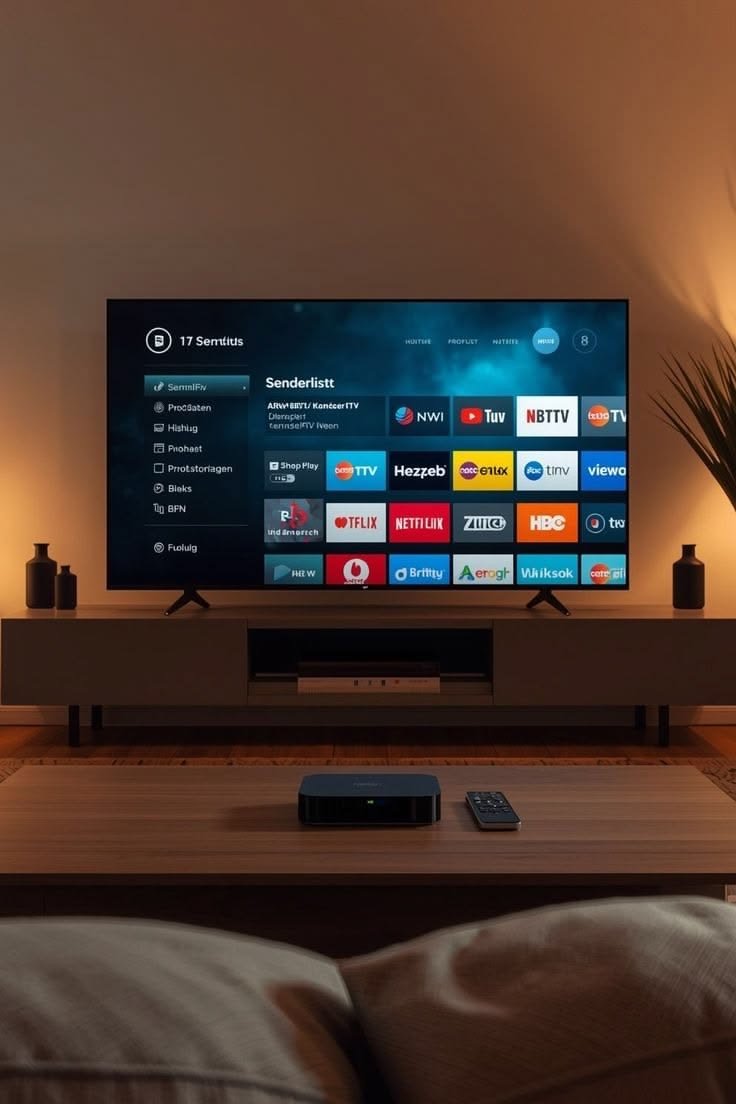
Setup takes only a few minutes. First, get your login details from your provider. Second, install an IPTV player from the App Store. Third, open the app and add your subscription using the details we send. Fourth, wait for the channel list and TV guide to load. Fifth, mark your favorite channels and start watching.
If anything fails to load, check for typing errors. A single wrong character is the most common reason for an empty list. Support can resend your details in a format that is easy to copy and paste.
Getting the Best Picture on Apple Devices
Use Wi-Fi at home and keep your device close to the router. For HD you need roughly 10 Mbps per stream, and for 4K about 25 Mbps. On mobile data, lower the video quality to save data.
Close other apps before you start a long viewing session and keep iOS updated. If you want ultra HD on a TV, our 4K IPTV guide explains how to prepare your network and settings.
Fixing Common iOS IPTV Problems
Buffering
Move closer to the router, switch Wi-Fi bands or restart your router. Lower the video quality as a test.
The app closes by itself
Update the app and iOS, then restart the device. If it keeps happening, reinstall the app.
The guide is empty
Refresh the guide in the app settings and check that your details are correct.
No sound or picture issues
Check the audio settings in the app and try another channel to see whether the problem is specific to one stream.
Support and Guarantee
We offer 46,000+ live TV channels, movies and series on demand, and a TV guide that keeps browsing simple. Our team is available 24/7 on WhatsApp to help with setup on iPhone, iPad and Apple TV. Every plan carries a 30-day money-back guarantee, and you can read the terms on our legal page.
Frequently Asked Questions About Best ios iptv app
What is the best iOS IPTV app?
The best iOS IPTV app is one with a clean interface, a working TV guide, favorites, playback controls and regular updates that suits your device and your remote or touch screen.
Can I use IPTV on an iPhone?
Yes. Install an IPTV player app from the App Store, enter your subscription details and start watching.
Does IPTV work on Apple TV?
Yes. Use a player app made for tvOS and load your subscription details in the same way.
How much does IPTV Stream Plus cost?
Plans cost $15.99 for one month, $29.99 for three months, $39.99 for six months and $59.99 for twelve months.
Can I try IPTV on my iPhone first?
Yes. Message us on WhatsApp to request a free trial.
What internet speed do I need?
About 10 Mbps per HD stream and about 25 Mbps for 4K.
Final Thoughts on the Best iOS IPTV App
The best iOS IPTV app is the one that fits how you watch and stays stable day after day. Check the seven features, test with a trial and pick a plan length that suits you.
Message IPTV Stream Plus on WhatsApp for a free trial. You will get live TV, sports, movies and series on your Apple devices, with 24/7 support and a 30-day money-back guarantee.
Message us for a free trial and see it on your own screen.
💬 Start on WhatsAppImportant: IPTV players are applications used to play content. IPTV technology is legal, but the legality of specific channels and content depends on licensing and local laws. Channel availability, streaming quality, and app features may vary by device, location, subscription, and internet connection. Customers should only access content they are legally entitled to view.
Quick Recap: Best Ios Iptv App
Whenever you compare options, keep best ios iptv app at the center of your checklist. A clear understanding of best ios iptv app saves you money and frustration. Many viewers ask us about best ios iptv app before they subscribe. Our support team can walk you through best ios iptv app step by step. If best ios iptv app matters to you, test the service on a real device first. Good advice on best ios iptv app always starts with your internet speed and your device. Remember that best ios iptv app looks different for every household.
That is why we explain best ios iptv app in plain language. Before you decide, read this guide on best ios iptv app once more. Ask yourself how best ios iptv app fits your daily viewing habits. With the right setup, best ios iptv app becomes simple for everyone. Our team keeps this best ios iptv app guide updated as things change. For most US households, best ios iptv app is the first question to answer.